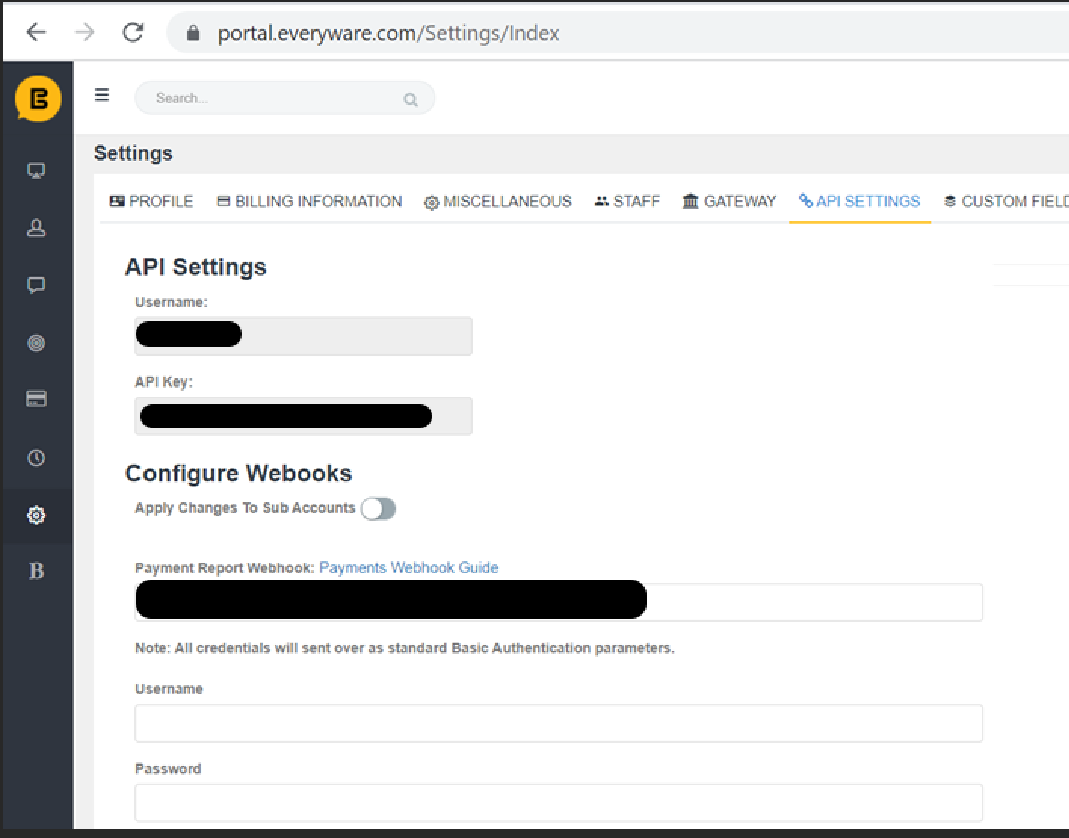
Payment Webhook
When Everyware receives a payment attempt for one of your contacts, it makes an asynchronous post to the webhook you have marked for this functionality.
🚧 Check Data Format
Please code to the Everyware data format so your endpoint will accept the data: application/x-www-form-urlencoded.
Parameters
Everyware sends the following parameters with its request as POST parameter:
| Parameter | Description |
|---|---|
| PaymentSid | A 36 character unique identifier for the payment attempt. |
| IndividualID | This is the Everyware unique identifier for the contact. |
| ExternalID | This is the unique identifier that you provided on the initial call to create the contact. |
| ExternalBusinessID | Unique identifier for the business provided by you. |
| EmailAddress | This is the email address of the contact. |
| Phone | This is the phone number of the contact. |
| StatusID | This is to identify if the payment attempt was a success or failure. “0” will indicate success, and “1” will indicate failure. |
| PaymentAmt | The dollar amount of the payment attempt. In the event of a partial authorization, this will be the amount available for the partial payment specifically. |
| InitialAmount | The initial amount indicated for the payment attempt. In the event of a partial authorization, this will show the original amount of the payment attempt while the PaymentAmt parameter shows what is available for capture. |
| PaymentDate | This is the date the payment attempt was made. |
| PaymentTime | This is the time the payment attempt was made. |
| TransactionID | This is the transaction identifier for the successful transaction, aka InvoiceID. |
| OrderNumber | Shows as the Invoice # on the customer facing invoice. |
| PaymentType | This is to identify if a full or partial payment was attempted. “P” will indicate partial, “F” will indicate full. |
| CardType | This is the type of card that was used for the payment attempt. |
| LastFour | This is the last 4 digits of the card number used on the payment attempt. |
| ResponseMessage | This is the response message that is provided for a failed payment attempt. |
| ServiceDescription | Description of the line item on the payment invoice. |
| ConfirmationCode | This is an additional reference number from the backend, and may be equal to TransactionID |
| SubscriptionID | If applicable, the ID associated with the subscription. |
| TokenID | If applicable, the ID associated with the token. |
| AuthorizationCode | If applicable, the authorization code. |
| RRN (Reconciliation ID) | If applicable, the ID from the gateway that is associated with the payment for the purpose of reconciliation. |
To set up the Payment Webhook, log into the Everyware portal, go to Settings, open the API Settings tab, and enter the username and password under Configure Webhooks.