Sync Terminals
Sync Terminals
The Sync Terminals API runs every time a new terminal needs to be associated with your sales site after your initial application’s terminal is set up. The first terminal will be automatically synced to your sales site by Everyware. To see which terminals were synced, see the Get Terminals method.
Sandbox Post URL:https://restsandbox.everyware.com/api/terminals/sync
Live Post URL:https://rest.everyware.com/api/terminals/sync
🚧 Notice
If your sales site is not enabled for CP Terminal functionality you will encounter an error response, "Card Present Terminal functionality has not be enabled for this sales site" Contact support@everyware.com if you encounter this error.
Sync Terminals Sample Code
Ther response will let you know if terminals were successfully synced or not. There is no body in the request. Only provide the API username and password for the authorization.
{
    "IsSuccessful": true,
    "Message": "Terminals were synced successfully"
}
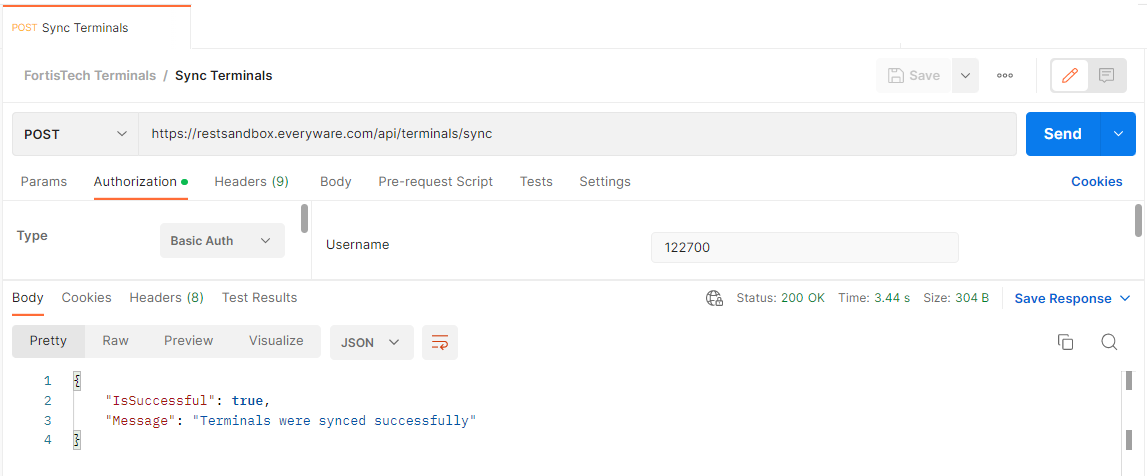
Postman Example Sync Post and Response
Sync Terminals Portal UI
In Everyware, terminals can be synced with the Sync Terminal button on the Point of Sale Settings page.
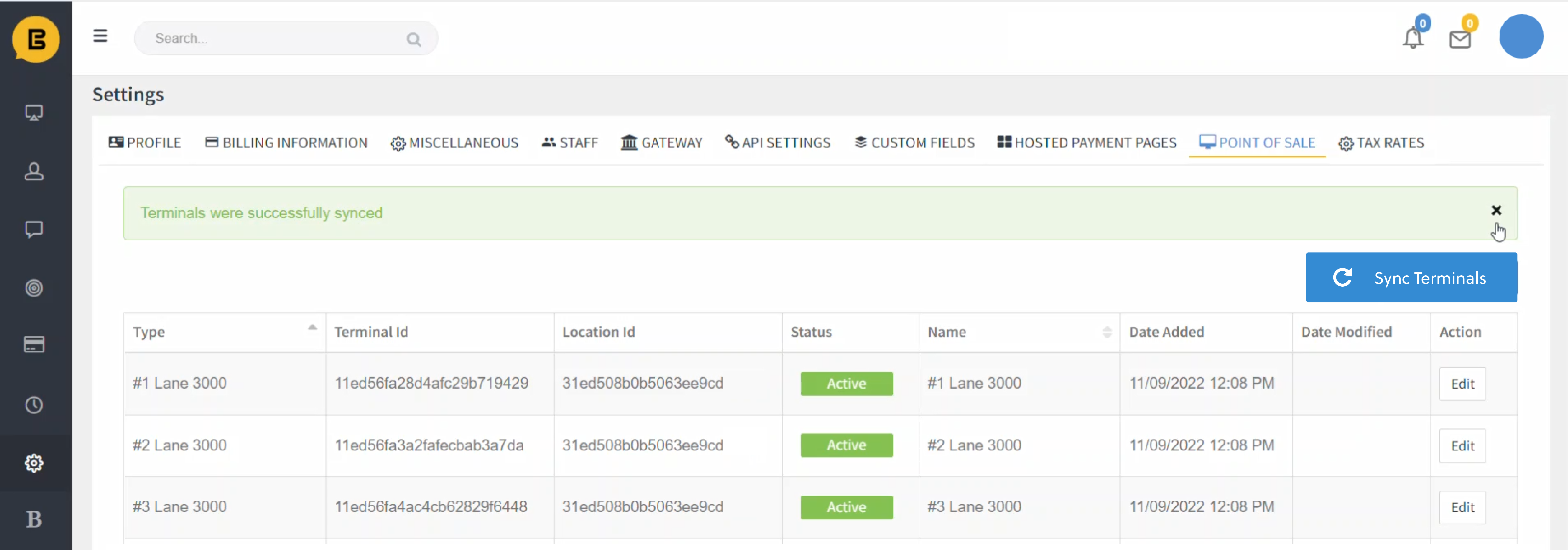
All Swipe Terminal Integration Guides
🚧 Notice
If your sales site is not enabled for CP Terminal functionality you will encounter an error response, "Card Present Terminal functionality has not be enabled for this sales site" Contact support@everyware.com if you encounter this error.
To see what terminals were synced, please visit the Get Terminals page.